In this post
- What is HVAC dispatch software?
- Dispatch and scheduling are not the same thing
- What dispatch software should actually do
- How to assign an HVAC service call
- Reducing technician drive time
- Technician scheduling
- Customer notifications
- Work orders
- What to look for when you are choosing
- Where dispatch sits in the rest of the operation
- Try it on a real day
- Frequently asked questions
- Keep reading
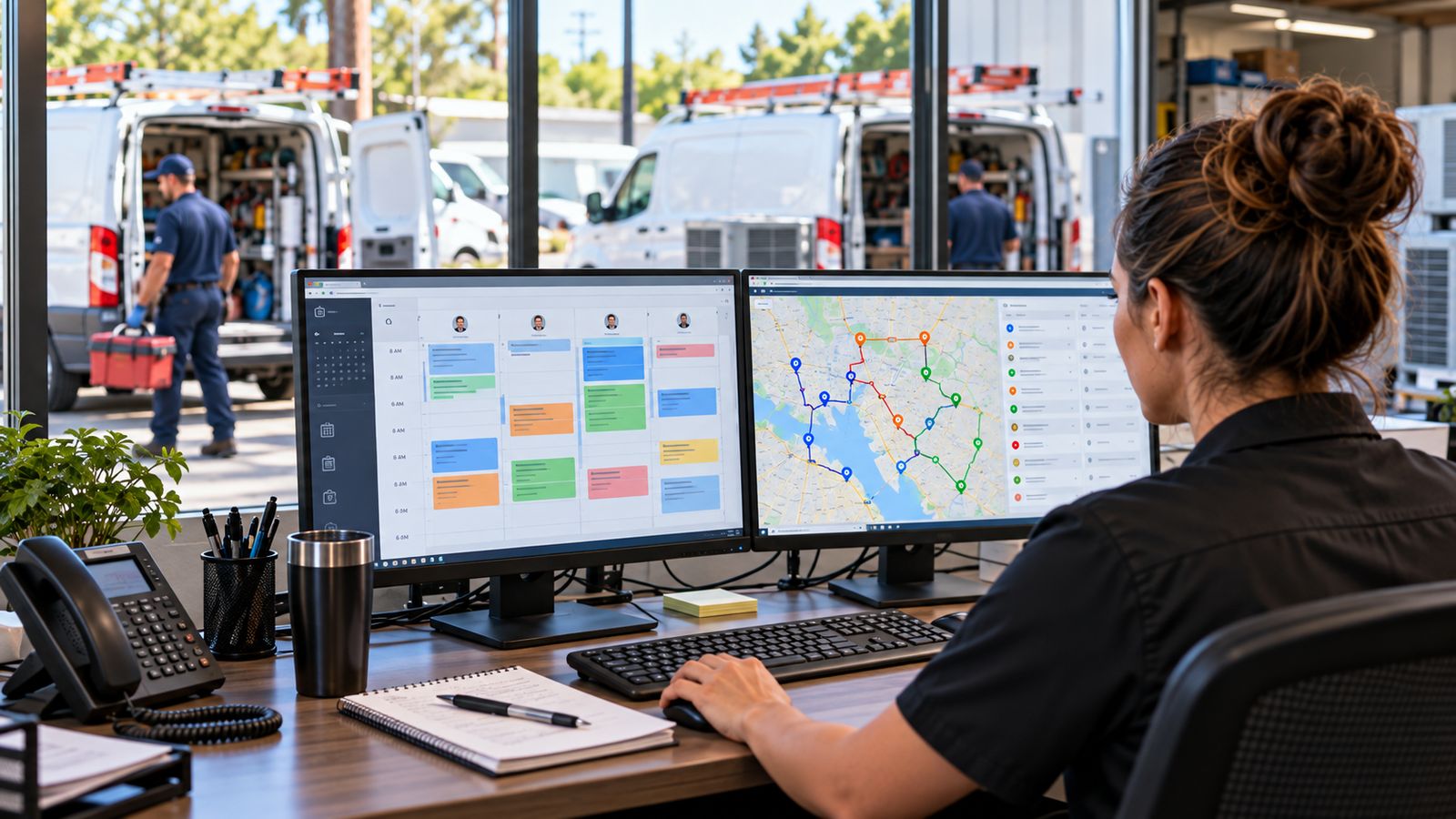
At two trucks, dispatch is a conversation. The owner knows who is where, what they can handle and how long the drive is, and the schedule lives in one head that is also answering the phone.
At six trucks it stops working, and it stops working suddenly.
A no-heat call comes in at 3pm. The nearest technician is twenty minutes away but has never touched that furnace line. The one who has is on the far side of the county with a maintenance visit that could have waited a week. The customer has been told "sometime this afternoon" and rings twice more before anyone gets there. Meanwhile a maintenance appointment nobody rescheduled is sitting unattended, and the technician who finished early is idling because nobody thought to move him.
None of that is a people problem. It is what happens when assignment decisions that used to fit in one person's memory get distributed across a team with no shared picture of the day.
Dispatch software is where that picture lives.
What is HVAC dispatch software?
HVAC dispatch software turns an incoming service call into a scheduled, assigned, tracked job, and keeps everyone who needs to know informed as it moves.
The chain it manages:
Customer call
   ↓
Service job created
   ↓
Scheduled into a slot
   ↓
Technician assigned
   ↓
Dispatched
   ↓
En route      → customer notified
   ↓
On site       → customer notified
   ↓
Completed     → work order closed, invoice, review request
Most contractors have some version of the first three steps, usually in a calendar. The breakage is almost always at assignment: which technician, and why, and at status, because once a job leaves the office nobody can see it without making a phone call.
Open the interactive demo → A full day for a fictional contractor: eight technicians, twenty-eight jobs, a live dispatch board. No signup.
Dispatch and scheduling are not the same thing
These two words get used interchangeably and they describe different problems.
Scheduling answers: who is supposed to be where, and when? It is a planning activity. It happens in advance, it deals in appointment windows and capacity, and its output is a calendar.
Dispatch answers: given what is actually happening right now, which technician should take this job and how do we get them there? It is an operational activity. It happens in the moment, it deals in skills, location and current status, and its output is a decision.
A company can schedule well and dispatch badly. The calendar is full, every slot has a name against it, and technicians still spend the day criss-crossing the territory because nobody asked who was nearest when the assignments were made.
The reverse also happens: excellent moment-to-moment dispatching on top of a schedule that overbooked Tuesday and left Thursday half empty.
You need both, and they need to be looking at the same data. The full difference, with examples →
What dispatch software should actually do
If you are evaluating tools, this is the list worth checking against.
| Capability | What it means in practice | Commonly missing |
|---|---|---|
| Dispatch board | Every job on one screen, grouped by status, movable | Sometimes |
| Technician availability | Who is free, busy, en route, on site, off shift, live | Often |
| Skill matching | Which technicians can actually do this job | Usually |
| Travel estimates | How far each candidate is from the address | Usually |
| Job assignment | One action, with a record of who decided and when | No |
| Scheduling calendar | Day, week and month, with drag to reschedule | No |
| Job status | Scheduled → en route → on site → completed | Sometimes |
| Customer notifications | Automatic, tied to status changes | Often |
| Work orders | Diagnosis, parts, labour, signature | Sometimes |
| Customer history | What was done here before, and on what equipment | Often |
| Mobile technician view | Usable on a phone, standing at a condenser | Sometimes |
| Reporting | Utilisation, travel, completion, cancellation | Usually thin |
The four in bold are where most of the operational difference sits, and they are the four that a calendar with names in it cannot give you.
How to assign an HVAC service call
Assignment is the decision dispatch software exists to support. A workable framework, roughly in priority order:
1. Can they actually do the job? Skill first, always. A technician who has never commissioned a heat pump, sent because they were closest, produces a callback and a second truck roll. That costs more than the drive you saved.
2. Are they free, and when? Not just "are they busy now" but "when do they come free, and does that fit the customer's window?"
3. How far away are they? From where they are now, not from the depot. A technician finishing a job four miles from the next call is worth more than one sitting idle twenty miles away.
4. What does their day already look like? Someone with five open jobs and someone with one are not equivalent, even if both are technically available.
5. Does the customer have a constraint? Access windows, gate codes, someone who has to be home, a commercial site that can only take work after closing.
6. What is the priority? An emergency reorders everything below it. How to handle that without wrecking the day →
In the demo, those four core inputs (skill, availability, distance, workload) are scored and shown side by side for every technician, with the reasoning visible:
See the assignment view → Pick an unassigned job and the recommendation appears with its workings, including a warning when a technician lacks the required ticket. You can still assign anyone.
A word on what that is and is not. A transparent weighted score is a decision aid. It is not optimisation, it is not artificial intelligence, and any vendor telling you their assignment engine is either should be asked what happens when it is wrong. The dispatcher knows things the software does not. That this customer is difficult, that this technician is having a bad week, that the address has a driveway a full-size van cannot use.
Reducing technician drive time
Driving is the largest recoverable cost in most service operations, and the easiest to ignore because it does not appear as a line on anything.
Work it through. Six technicians, four trips between jobs a day, twenty-six minutes a trip, eleven miles a trip, 250 working days:
| Trips per year | 6,000 |
| Cost per trip: burdened labour at $38/hr | $16.47 |
| Cost per trip: vehicle at $0.68/mile | $7.48 |
| Cost per trip | $23.95 |
| Annual cost of driving between jobs | $143,680 |
| Miles driven between jobs | 66,000 |
That is an example on illustrative inputs, not a claim about your business, but the structure holds whatever numbers you put in, and the number is usually larger than people expect.
Run your own figures → Enter your technicians, trips and vehicle cost and see the annual number.
What actually reduces it:
- Cluster by geography, not by call order. The single cheapest change. Group a technician's day into one part of the map rather than letting the sequence the phone rang in decide the route.
- Assign from current position. Whoever is nearest now, not whoever is next on a list.
- Widen appointment windows where you can. Tight windows and tight routing are in direct tension; a four-hour window gives dispatch room a one-hour window does not.
- Stop treating every emergency as a full reshuffle. Sometimes the right answer is the second-nearest technician.
The full drive-time article, with the arithmetic →
What reordering a day can look like
The demo includes a route comparison on one technician's day. As scheduled, the run crosses the valley four times because the jobs were booked in the order they came in:
| As scheduled | Reordered by proximity | |
|---|---|---|
| Distance | 89.0 miles | 69.8 miles |
| Driving time | 2h 52m | 2h 16m |
| Difference | 19.2 miles, 36 minutes |
This is an example calculation on sample data. It uses a straight-line model of a fictional service area with a grid factor applied (no real roads, no traffic, no one-way systems) and a nearest-neighbour heuristic that is simple and not guaranteed optimal. It demonstrates the mechanism. It does not forecast what you would save, because that depends on a territory neither we nor any vendor has seen.
Try the route comparison → Pick a technician, see their day, and apply the reordering.
Technician scheduling
Dispatch handles today. Scheduling handles the shape of the week, and the two constrain each other.
The variables that matter:
- Job duration by type. A maintenance visit and a changeout are not interchangeable blocks. Estimating both at "two hours" guarantees one runs over and one finishes early.
- Appointment windows. The narrower you promise, the less dispatch can optimise.
- Recurring maintenance. Plan visits are the flexible ballast in a schedule. They can move, and they should be what absorbs an emergency.
- Travel between stops. A schedule that books back-to-back with no travel allowance is a schedule that runs late from the second job onward.
- Deliberate slack. A day booked to 100% has no capacity for the emergency that is definitely coming.
- Skills coverage across the roster. If one technician holds a skill, that skill is a single point of failure every time they take leave.
How to build the schedule → · Practical scheduling method →
Customer notifications
This is the part customers notice, and it costs almost nothing to do properly.
The moments worth a message:
| Trigger | Message |
|---|---|
| Appointment booked | Confirmation with date, window and what to expect |
| Technician assigned | Who is coming |
| En route | "On the way": the one that stops the phone ringing |
| Arrived | Useful for commercial sites and absent homeowners |
| Completed | Work order and invoice to follow |
| Follow-up | Review request, or the quote if work was recommended |
Two design rules matter more than the wording:
Send from a person, not a system. "Mike from Summit Comfort is on the way" works. "Your service appointment status has been updated" does not.
Any customer reply must reach a human immediately. An automated message arriving after a customer has replied is worse than sending nothing.
Watch the notifications fire → Move a job on the dispatch board and the matching customer message appears in the Messages tab, with the phone view beside it. Nothing is actually sent.
This is the point where dispatch meets the rest of the operation. The same mechanism that texts a customer when a technician sets off is the one that chases an unsold estimate five days later. BDEVY's automation work →
Work orders
The work order is the document that turns a completed visit into something you can invoice, warranty and defend.
What belongs on it: work order number, customer, service address, technician, appointment time, problem reported, diagnosis, work performed, parts with quantities and prices, labour hours and rate, customer notes, approval signature, and the total.
Diagnosis and work performed are separate fields for a reason. "Replaced capacitor" tells you nothing about why. "Dual run capacitor failed, 5 µF on the herm side against a 45+5 rating, replaced, verified 18°F split at the return" tells the next technician what they need and tells the customer what they paid for.
What a complete work order contains, with an example →
What to look for when you are choosing
Essential
- A dispatch board showing every job and its status on one screen
- Live technician availability, not a static roster
- Skill matching against the job type
- Scheduling with day, week and month views
- Customer history and equipment at the address
- Work orders with signature capture
- A mobile view a technician will actually use
- Automatic customer notifications
Worth paying more for
- Assignment recommendations with visible reasoning
- Route comparison and resequencing
- CRM integration, so a job knows where the lead came from
- Accounting integration, so a closed work order becomes an invoice
- SMS that a human can take over mid-conversation
- Automated follow-up on recommended work
- Maintenance agreement scheduling
- Reporting on utilisation, travel and cancellation
Questions that separate tools faster than a feature grid
- When I assign a job, can I see why the system suggested that technician?
- Can a dispatcher override the recommendation without fighting the software?
- What happens to a job when a technician calls in sick, how many clicks?
- Does the customer notification come from the technician's name, or from a system?
- Can I see a technician's actual route for today, in order, with drive times?
- Does an approved estimate become a scheduled job without retyping?
- Does this fit how we already dispatch, or do we have to change to fit it?
That last question decides whether you are still using it in a year.
Where dispatch sits in the rest of the operation
Dispatch is one link in a chain:
Lead → Estimate → Approved → Scheduled → Dispatched → Completed → Invoiced → Follow-up
If those live in separate systems, every handoff is retyping, and every retype is where errors and margin leak back in. An approved estimate should become a scheduled job carrying its scope, its parts list and its duration. A completed work order should become an invoice without anyone re-entering the parts.
Worth mapping before you buy anything: how your estimating hands off to scheduling, and how a closed job becomes an invoice. If those two handoffs are manual today, fixing them is often a bigger win than the dispatch tool itself.
HVAC Estimating Software: the other half of the chain →
Try it on a real day
Reading about dispatch is not the same as running one.
Create a job, get a technician recommendation, drag it across the board, watch the customer notification fire, complete the work order and compare the route. Eight technicians, twenty-eight jobs, no signup, no card.
And to size the problem on your own numbers first:
- Dispatch efficiency calculator →: how much of the paid day reaches a customer
- Technician utilisation calculator →, billable against paid hours
- Drive time cost calculator →: what the driving costs a year
Frequently asked questions
What does HVAC dispatch software actually do?
Assigns service calls to technicians, accounts for skills and location, keeps the day visible as it changes, and tells the customer when someone is coming. The assignment is the part that decides whether the rest works.
How should a service call be assigned?
On skill and parts first, then on location and the shape of the existing day. Assigning purely on who is nearest produces short drives to jobs the technician cannot finish.
Does dispatch software reduce drive time?
It can, by making the consequences of an assignment visible before it is made. The saving comes from better sequencing rather than from routing cleverness, and it is capped by where the customers actually are.
Why do customer notifications matter?
Because most of the complaints about a service visit are about not knowing when it will happen. A notification that sets an arrival window absorbs a large share of inbound calls asking where the technician is.
Is dispatch the same as scheduling?
No. Scheduling decides who works where and when across the week. Dispatch decides which technician takes this job right now. They share a dataset and they fail in different ways.
Keep reading
- HVAC Scheduling Software →: building the week
- How to Schedule HVAC Technicians Efficiently →: the practical method
- HVAC Dispatch vs Scheduling →: the distinction, properly
- HVAC Work Order →: what belongs on it
- How to Reduce HVAC Technician Drive Time →: the arithmetic
- HVAC Emergency Dispatch →: urgent calls without collateral damage
- HVAC Technician Scheduling Checklist →: printable
Need a dispatch system built around how your HVAC company already works. Your service area, your skill matrix, your notification rules? That is what BDEVY builds. Talk to us about your dispatch operation →
Dispatch and scheduling HVAC hvac scheduling software hvac service management software hvac work order software